The moment your teen asks for a card
The ask usually lands mid-week, not during a “money talk.” A friend has a tap-to-pay card, your teen is staying after practice, and suddenly the ride, snack, and “I’ll pay you back” rhythm feels shaky. Cash disappears. Venmo feels too open. And if you hand over your own card once, it becomes the new baseline. The tension isn’t whether they should spend; it’s whether the spending happens inside rules you can actually enforce without hovering.
This is where teen money apps start to look similar—and then quickly don’t. The first decision is less about which brand is “best” and more about what kind of setup you’re trying to run: a guardrailed allowance card, a teen checking-style account, or something that also nudges saving (and maybe investing) without creating weekly fights.
Start by picking the app “type” you need
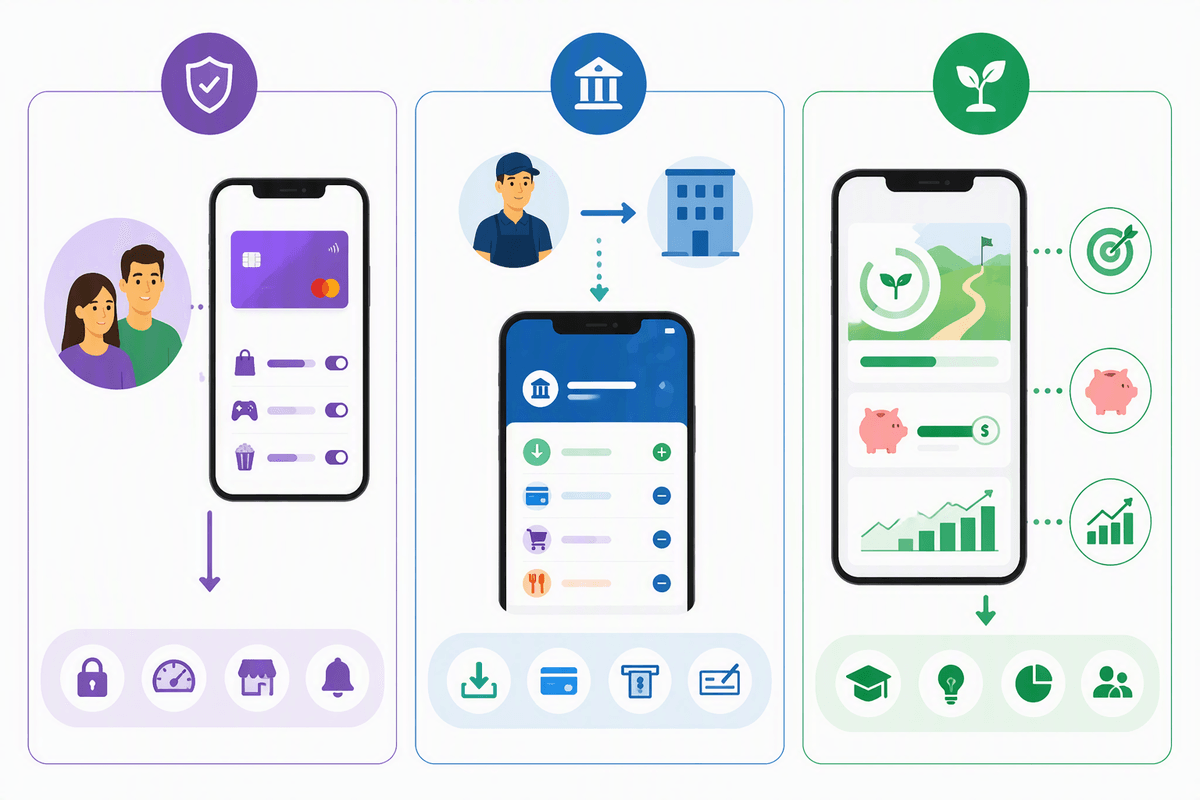
In practice, the “right” app is the one that matches how money will enter your teen’s life. If you’re funding everything, a guardrailed spend card tied to a parent wallet tends to keep expectations clean: you push money in, you set merchant or category limits, and there’s less risk they treat it like a real bank account. The constraint is convenience—some of these setups get clunky when grandparents want to send cash or your teen earns irregular money.
If they’re starting a job, a teen checking-style account usually fits better. Direct deposit, faster transfers, and a clearer “this is your balance” boundary reduce the weekly negotiation. The trade-off is permissions: you may get alerts and controls, but not the same hard lockouts, and overdraft or transfer rules matter more.
Then there’s the “teach + grow” bundle that adds goals, autosave, or investing. It can work, but only if you’re ready for the timing friction—custodial ownership, market swings, and the first time they ask why the account went down.
Ten popular teen money apps, compared fast
Once you’ve picked a “type,” the fastest shortcut is grouping the big names by what they’re really optimized for. Guardrailed allowance cards tend to be Greenlight, gohenry, and FamZoo: strong parent permissions, chores/allowance flows, and lots of knobs—but usually with a monthly plan cost and a bit of setup friction when another adult wants to contribute. BusyKid sits near this bucket too, often feeling like “earn → spend” first, with saving as a second step.
If the constraint is “my teen needs something that behaves like a real account,” you’ll see more checking-style patterns in Step, Copper, Current, and Capital One MONEY (Teen). These tend to prioritize direct deposit, P2P transfers, and a clearer balance boundary, which reduces weekly negotiations—but the trade-off is that controls are often more alert-based than hard stop-based, so timing mistakes (late transfers, pending transactions) show up faster. Chase First Banking is its own flavor: tighter tie-in to a parent’s Chase ecosystem, convenient if you’re already there, annoying if you’re not.
Then there are “almost adult fintech” options like Revolut <18, which can be slick for budgeting and travel use cases, but can add policy and verification friction if your family is juggling split households or inconsistent funding. After this pass, your shortlist usually drops to three: one that enforces rules, one that handles paycheck logistics, and one you can actually live with on a tired Tuesday night.
Where costs hide: fees, plans, and friction

That “tired Tuesday night” shortlist is exactly when the pricing page starts to matter, because most teen apps don’t feel expensive until they’re embedded in routines. Subscription plans are the obvious line item—often a monthly family fee for the card, app access, and parent controls—but the hidden cost is how quickly you end up paying for the tier that removes the annoyances: extra kids, instant transfers, more granular category blocks, or priority support when a card gets declined at the worst moment.
Then come the friction costs that don’t look like fees. Some setups make funding easy only from certain banks, or they slow-roll transfers, which creates timing gaps between “I sent it” and “it’s spendable.” Others are simple until a second adult needs access (split households, grandparents, co-parents), and suddenly you’re managing invitations, permissions, and duplicate logins. Watch for edge-case charges too—expedited replacement cards, out-of-network ATM use, international card usage, or cash reloads if your teen gets paid in cash.
The practical expectation shift: the cheapest option is rarely the one with the lowest monthly price; it’s the one that avoids the late-night exceptions that push you into upgrades, rush shipping, or “just use my card this once.”
Controls and protections that matter on tough weeks
The week you actually stress-test a teen money app usually isn’t a “learning moment.” It’s a lost backpack, a last-minute team dinner, a charge that’s pending for three days, and a text that starts with “my card got declined.” In that moment, the most useful controls aren’t the fancy dashboards—they’re the ones that reduce back-and-forth while still holding the line on your rules.
Look for hard stops where you need certainty: category or merchant blocks (not just spend alerts), ATM and cash-withdrawal toggles, and online spending switches you can flip fast. Limits that reset weekly can work better than daily caps because they match how teens actually spend. If the app only notifies after the fact, plan for the timing friction: authorizations can slip through before a transfer posts.
Protections matter most when something goes wrong. Real-time freeze/unfreeze, clear dispute steps, instant PIN changes, and parent visibility into card-present vs online transactions turn “I don’t know what happened” into a fixable sequence. If a setup makes you wait on support for basic safety moves, it’ll feel fine—right up until it doesn’t.
Saving and investing: helpful feature or too soon
After a few “tough weeks,” saving features stop sounding like a lesson and start sounding like a buffer. The useful versions are boring: a separate savings pocket, round-ups, and simple auto-transfers tied to payday or allowance. The constraint is timing—if money gets swept into savings too aggressively, the next group hang turns into another emergency transfer (and another argument). So it helps when you can pause autosave, set a floor balance, or require approval to move money back out.
Investing is where the friction shows up fast. Custodial ownership, approvals, and the first red week in the market can turn “growth” into “why did my money disappear?” If your teen can’t keep a stable cash cushion yet, investing tools may be too soon. If they can, look for tight permissions, clear risk labels, and minimal trading nudges.
Turn your shortlist into one confident choice
By now your shortlist is probably three apps, and the last step is forcing a decision with constraints, not vibes. Pick the “non‑negotiable” first: if you need hard category blocks and instant freeze, drop anything that only sends alerts. Next, set a monthly pain ceiling (including the tier you’ll actually end up on), then stress-test one scenario: paycheck lands Friday, dinner is Saturday, a charge stays pending until Tuesday—does the app create a gap you’ll have to patch with your own card?
Finally, decide how much autonomy you’re willing to tolerate on a bad week. If you want fewer texts, choose the setup with clearer boundaries (weekly limits, separate savings pocket, fewer transfer delays), even if it’s less “feature rich.” The right pick is the one that fails gracefully when life gets messy.